How to Implement End-to-End (E2E) Testing for Modern Web Applications
Understanding End-to-End Testing
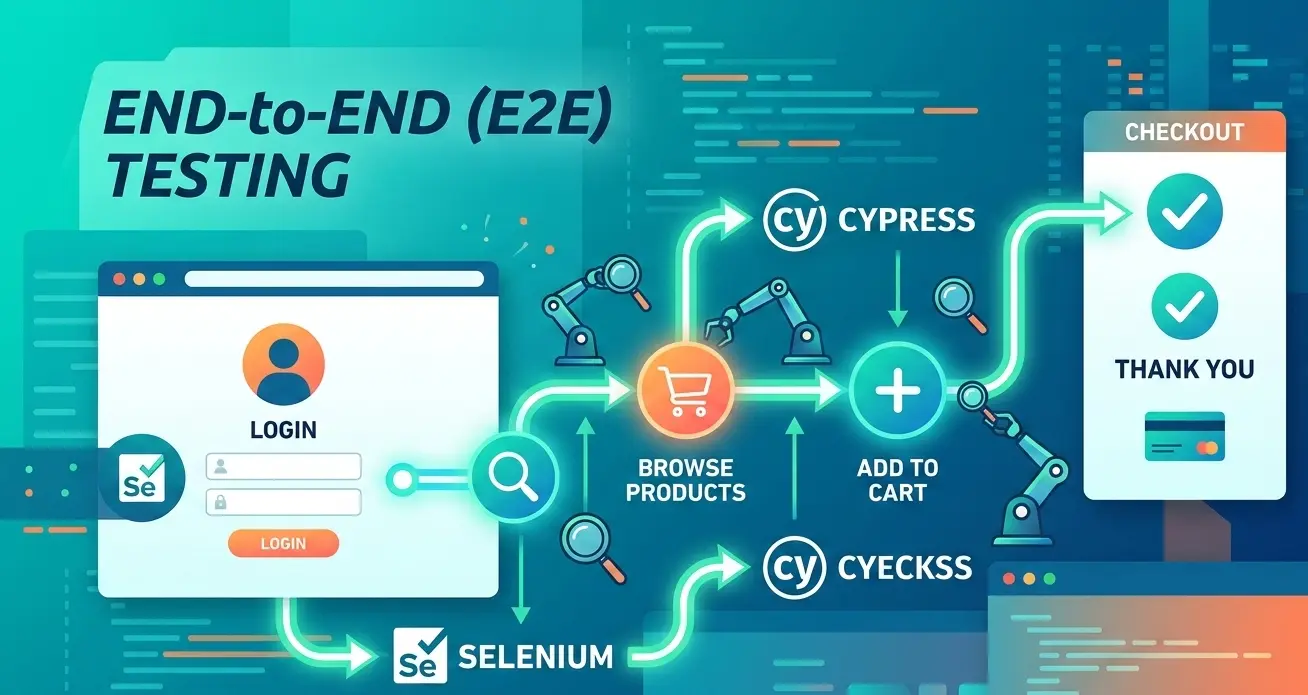
End-to-End testing focuses on validating complete user workflows across the entire system. It ensures that every layer of the application communicates correctly.
Testing Real User Journeys
E2E tests simulate the actions a real user performs in the application, such as registering an account, logging in, or completing a purchase.
Full System Validation
Unlike unit tests that check isolated components, E2E tests validate the interaction between the frontend, APIs, authentication systems, and databases.
Step 1: Identify Critical User Flows
The first step in implementing E2E testing is determining which workflows are essential to your application.
Focus on Business-Critical Paths
Common critical paths include user registration, login, checkout processes, form submissions, and search functionality.
Avoid Testing Everything
E2E tests are slower than unit tests, so they should focus on validating key user journeys rather than every small feature.
Step 2: Choose the Right Testing Framework
Selecting the right testing tool is essential for efficient and reliable automation.
Cypress
Cypress is a modern JavaScript testing framework designed for frontend applications. It provides fast execution, built-in debugging tools, and an excellent developer experience.
Selenium
Selenium is one of the most widely used automation tools. It supports multiple programming languages and browsers, making it ideal for cross-browser testing environments.
Step 3: Build Resilient Test Scripts
E2E tests should be designed to remain stable even when the application evolves.
Use the Page Object Model (POM)
The Page Object Model organizes tests by separating UI selectors and actions from test logic, making tests easier to maintain.
Avoid Flaky Tests
Use proper waiting strategies, stable selectors, and controlled test environments to prevent unreliable test failures.
Step 4: Integrate Tests into CI/CD
Automation becomes powerful when tests run automatically during the deployment process.
Continuous Integration
Integrate E2E tests into CI pipelines using tools such as GitHub Actions, GitLab CI, or Jenkins to run tests on every code update.
Automated Regression Testing
Each deployment automatically triggers the test suite to ensure new changes do not break existing user workflows.
Step 5: Monitor and Maintain Tests
E2E testing is not a one-time setup. Tests must evolve alongside the application.
Visual Reports and Debugging
Use screenshots, video recordings, and logs generated by testing frameworks to quickly identify failures.
Continuous Optimization
Regularly review and update test cases to ensure they remain fast, reliable, and aligned with the current UI.
Related Articles
Why Unit Testing Is Essential for Reliable Software Projects ?
Unit testing ensures that every part of your application works as expected. Learn why modern development teams rely on automated unit tests to deliver reliable, scalable software.
Choosing the Right Automated Testing Framework
Compare popular testing frameworks and learn how to select the best one for your project requirements.
Related Services / Related Projects
Need Professional Testing Services?
Let our team of experts help you implement best practices and ensure your applications meet the highest quality standards.
Schedule Consultation